
Get to know FastForms, Arkyn's digital form builder, operator rounds, and checklist app, with an end-to-end demo from Martin Holm Nielsen, Co-founder and CEO at Arkyn.
In this introduction to FastForms video, you will learn how to:
- Use an finished inspection form on a phone.
- Build a new safety inspection form from scratch.
- Set the rules that push it to the right work orders.
- Pull a compliance report.
Here's the full, written walkthrough.
See a completed form on the work order.
On the phone in the FastWork app, open a PM work order.
When your organization has FastForms in place, you will see a FastForms tab on the right.
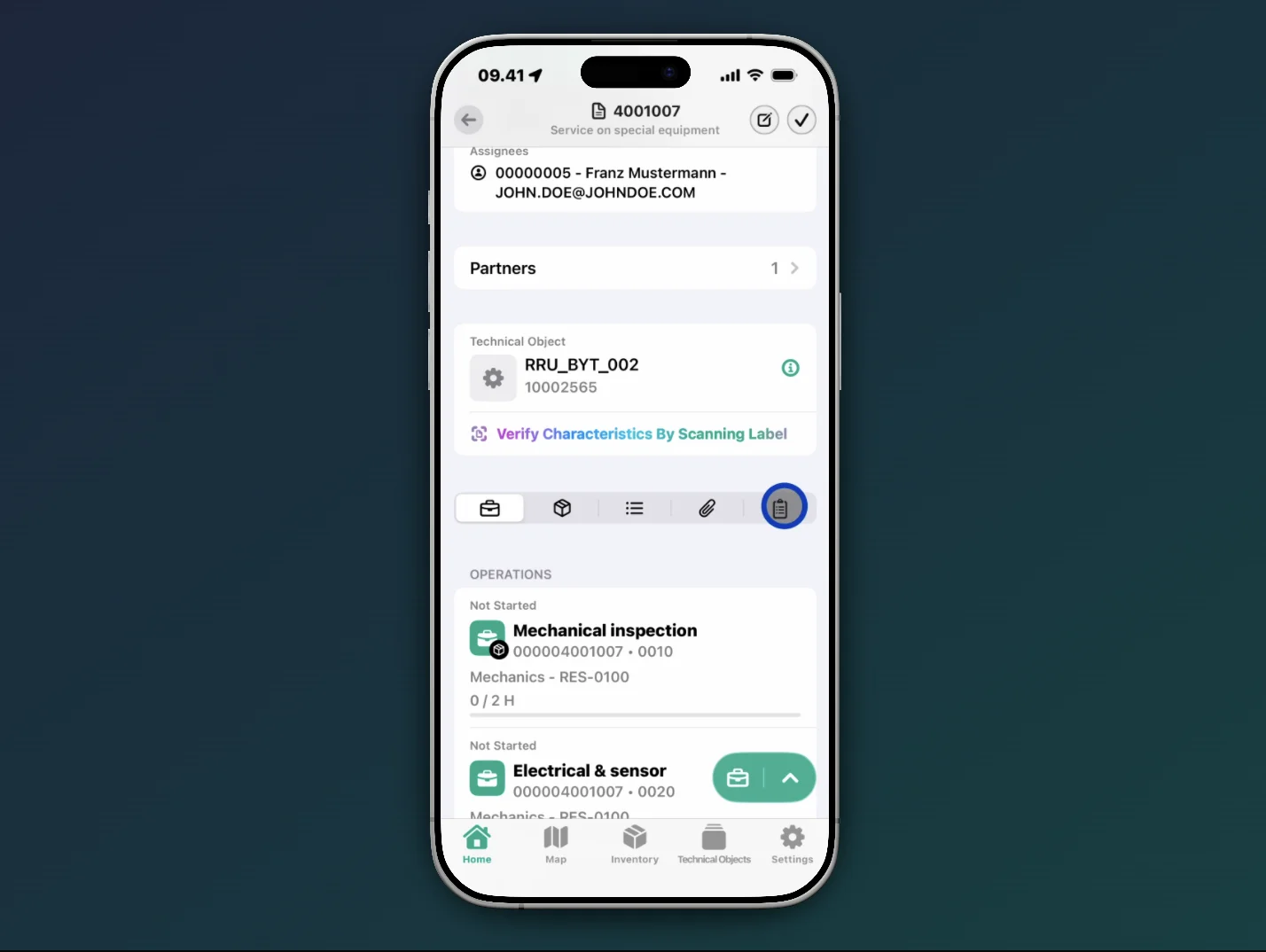
It lists every form attached to that order, whether a technician added it or a distribution rule did.
Open a form and you'll see it's split into sections.
The example here is a three-section inspection of a drilling tool.
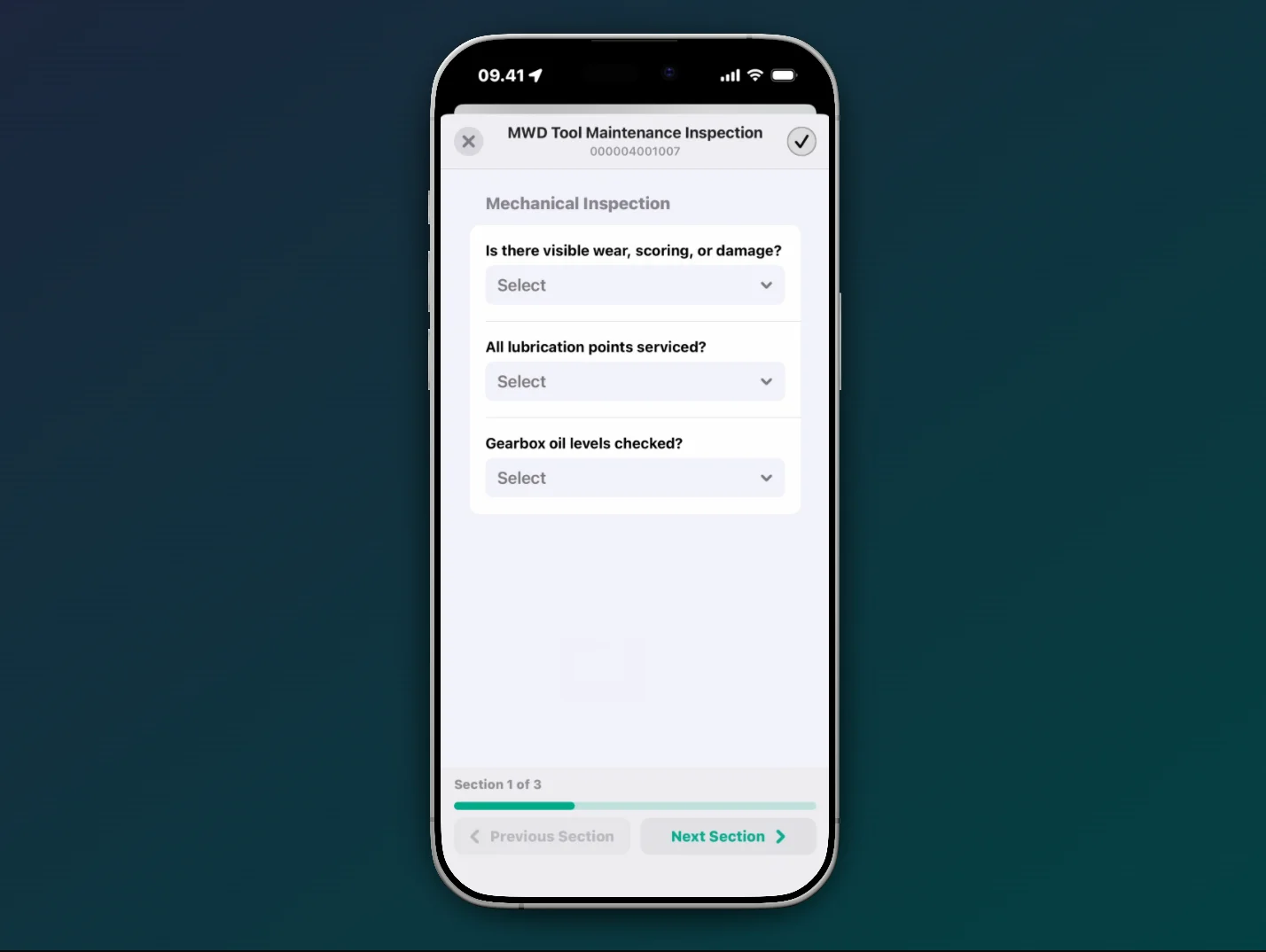
Fields respond to your answers. Answer no to a question and nothing extra appears. Answer yes and the relevant follow-ups show up.
You can capture far more than checkboxes: photos from the camera or library, numbers, drop-downs, free text, on and off toggles, and signatures for sign-off in the field.
When you complete the form, FastForms saves it to SAP as a PDF on that work order. No paper, no separate filing step.
Build a form in the FastForms editor.
The editor is where you create and maintain your checklists and inspection rounds.
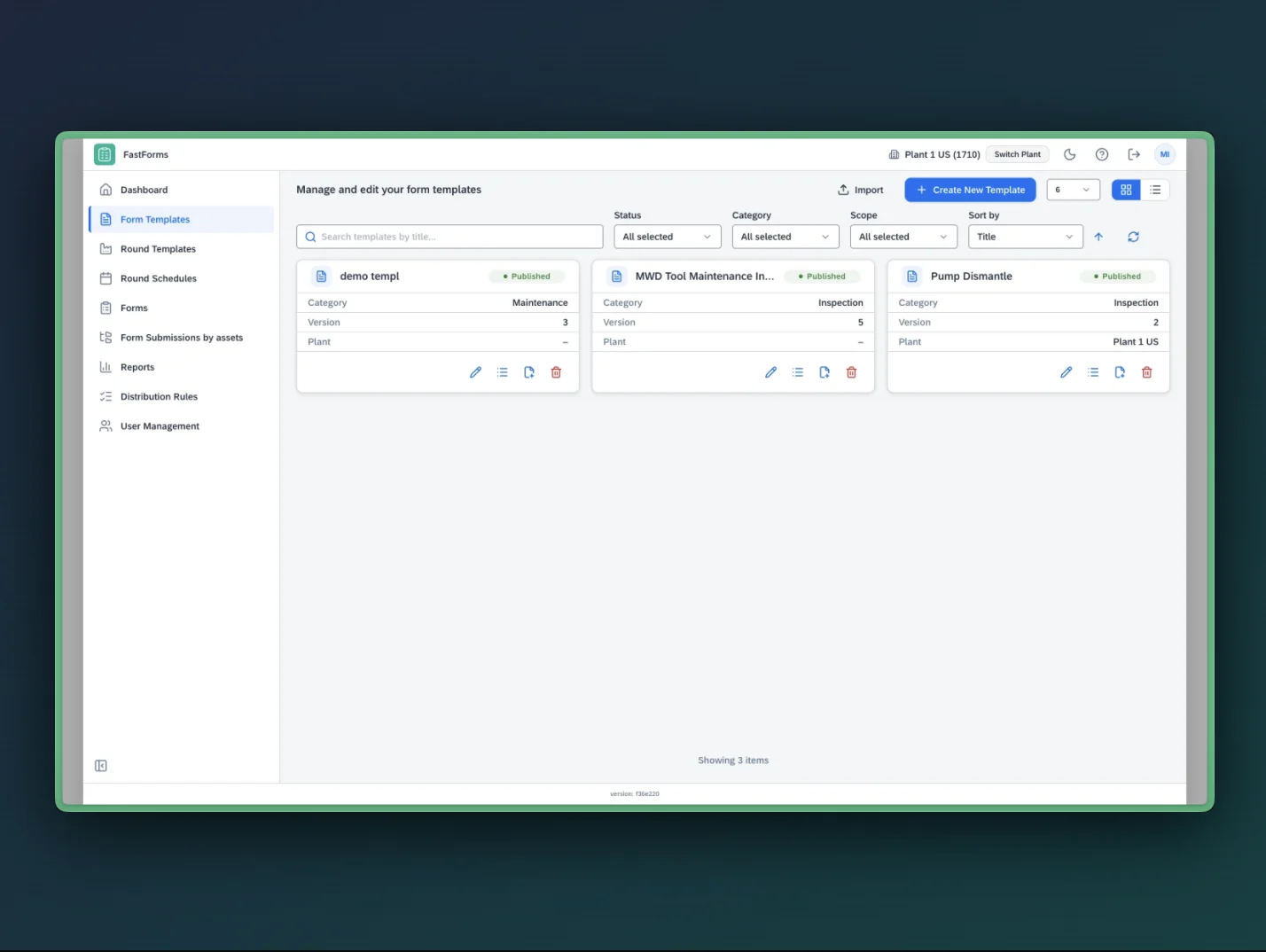
Start by choosing the plant you're building for, then open form templates to see everything available for that plant.
You can edit any existing template to see how its sections and fields fit together.
Create a new template.
In the video, we show you how to create a new template and name it.
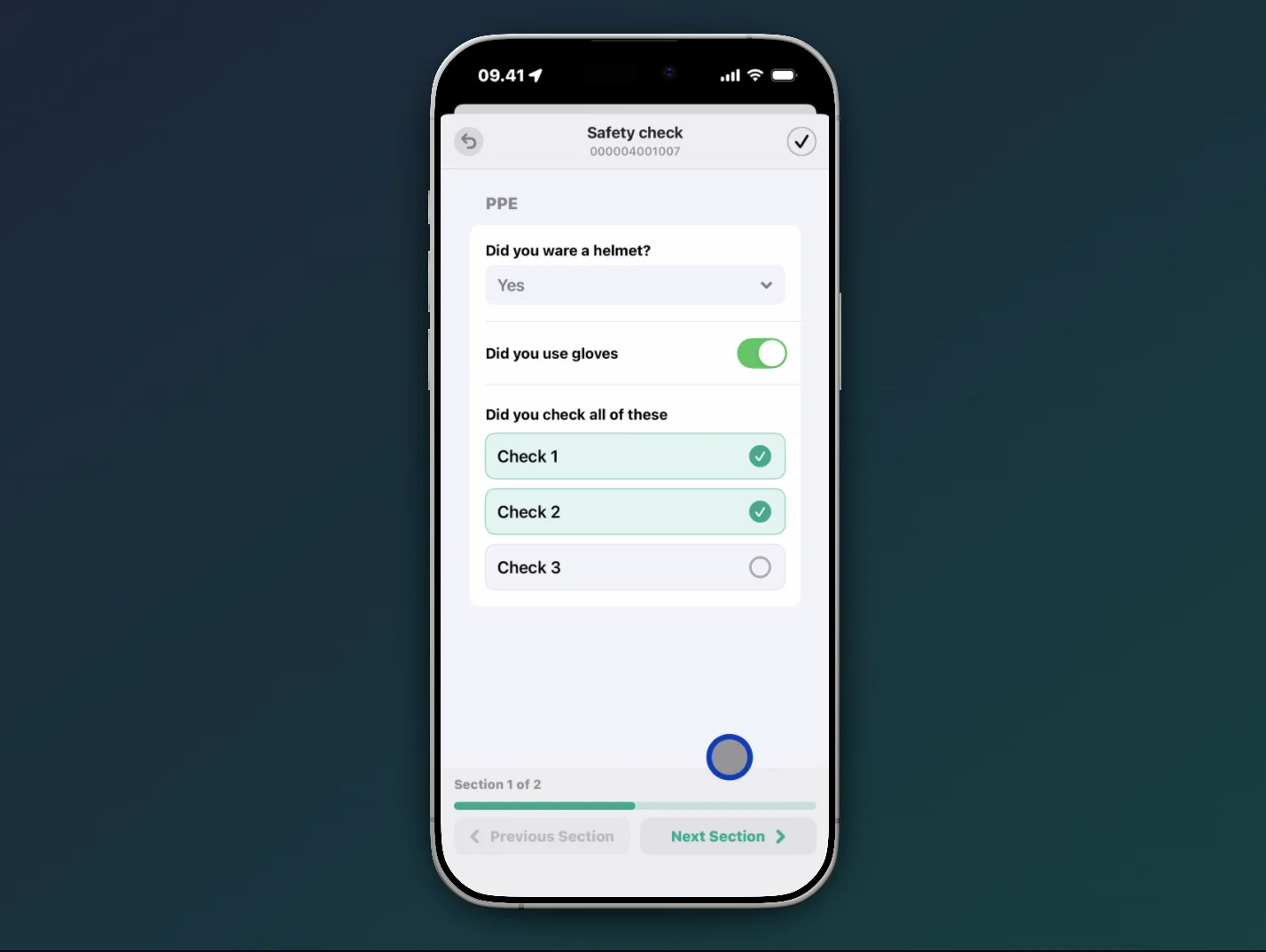
In this example, we make a safety check form, organized into sections with the first covering personal protective equipment (PPE).
To add a question, pick a field type from the left and drop it into the section.
The fields added in the demo:
- A radio group asking whether the technician wore a helmet, with yes, no, and not applicable.
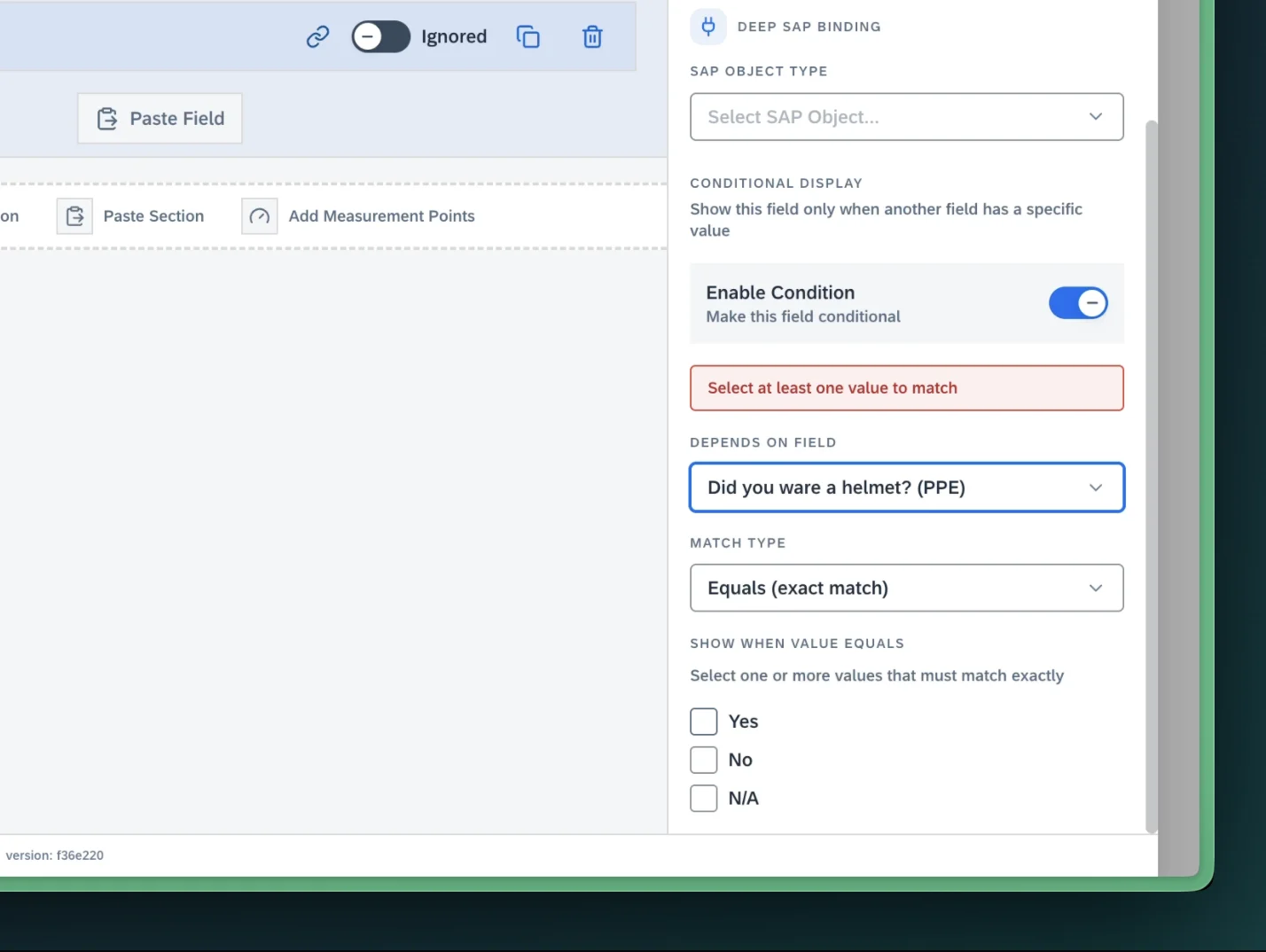
- A long text field for the reason, set as conditional so it only appears when the answer is no.
- A boolean toggle for whether gloves were used.
- A checklist with several items to confirm.
You can reorder fields, edit them, and add more sections, such as a site access section with its own questions.
When the form is ready, the moment it's published, it's available in the app on the phone.
Check it on mobile.
Open a work order in FastWork again, go to the FastForms tab, and tap the add form action button to attach your new safety check.
Fill it out and the conditional logic works: answer no on the helmet question and the reason field appears.
Complete the form and a PDF lands on the work order in SAP for compliance.
Set up operator rounds.
Digital operator rounds are checklists you run on a schedule rather than against a specific work order, like a daily morning round.
When you create a round, link it to equipment from your technical structure. Add a technical object, such as a cooling water pump, and FastForms reads its measuring points automatically.
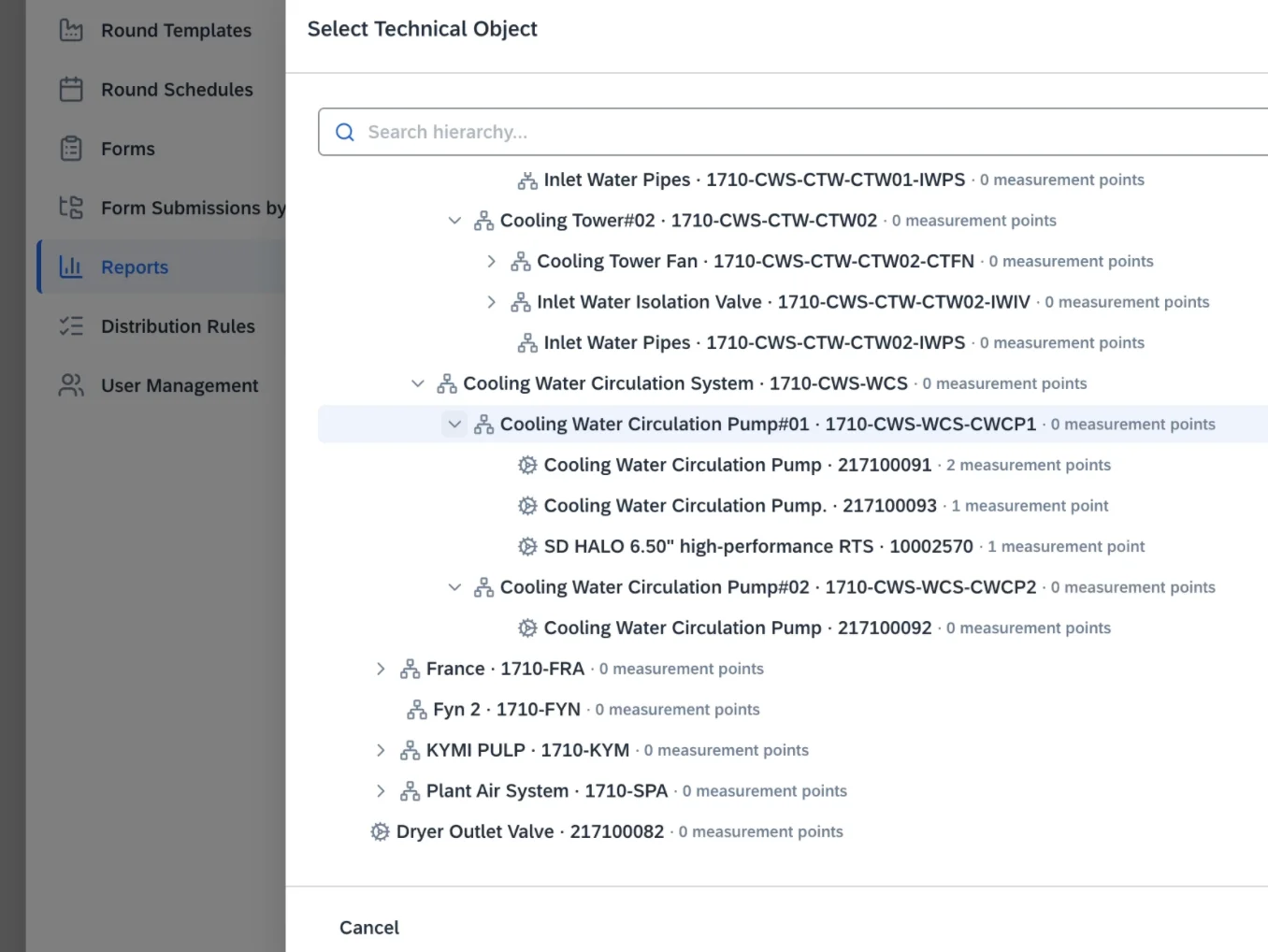
In the video, the pump's running hours measuring point creates a field on its own, and that reading writes back to SAP.
Add your own questions alongside it. You can also bind a field to SAP data, such as an equipment ID, so it pre-fills instead of being typed in. Save the round under the parent technical object where you want it stored, then set a schedule for when it runs and who performs it.
Push forms to the right work orders with distribution rules.
Distribution rules decide when a form gets attached to a work order automatically. You set the conditions, then pick the templates that apply.
The example in the video: if the plant equals 1710 and the equipment type matches a specific pump, attach the safety check and the tool maintenance inspection form.
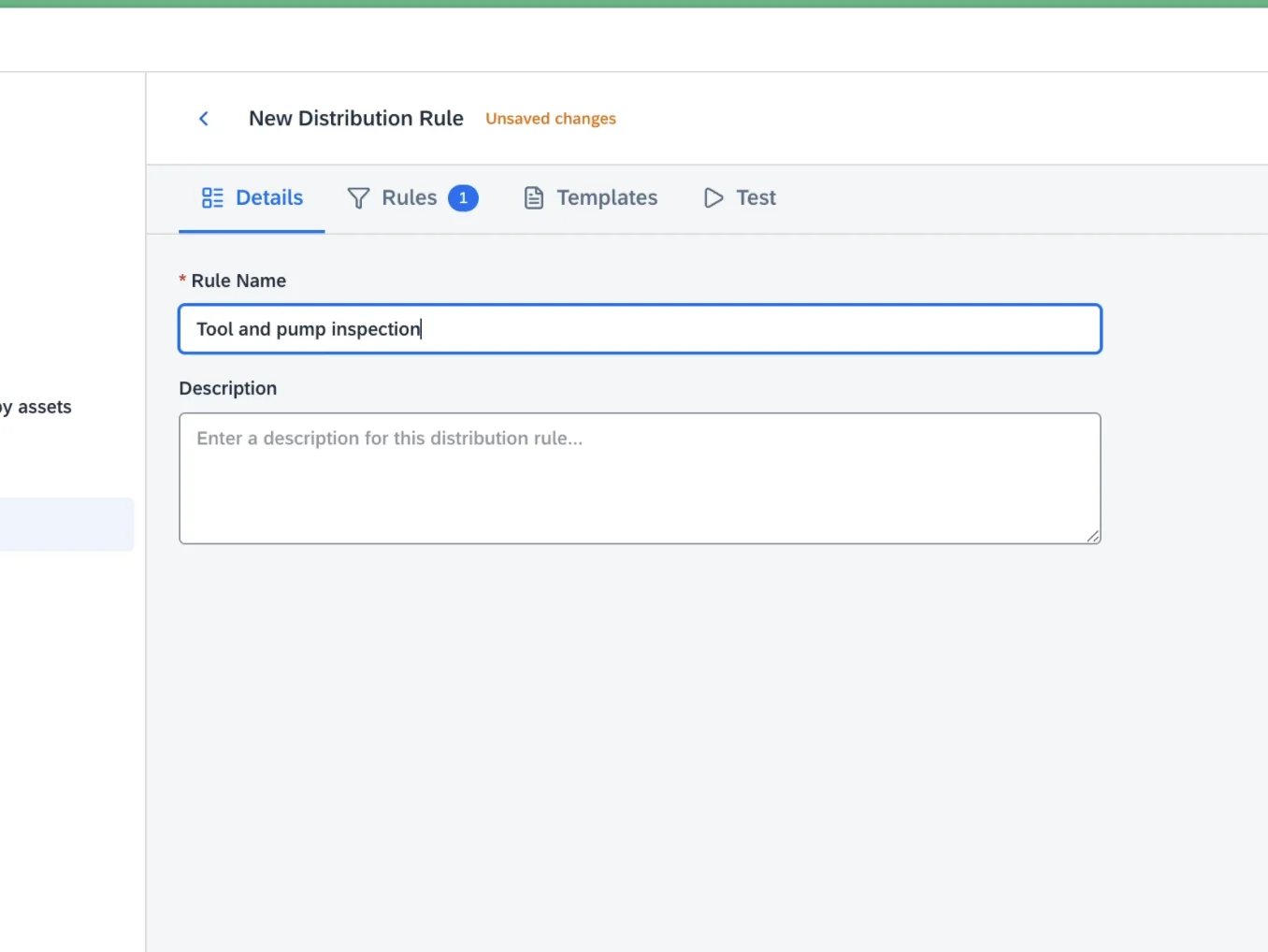
From then on, any matching work order gets those checklists attached without anyone remembering to do it.
And technicians cannot technically complete the work order until the required forms are filled out, so compliance steps don't get skipped.
Review submissions and run reports.
Every submission is searchable. Browse by asset through the full technical structure, down to the lowest level, to see which forms have been completed for a given piece of equipment.
You can also generate a report for any equipment, showing its measurement points and how they've changed over time.
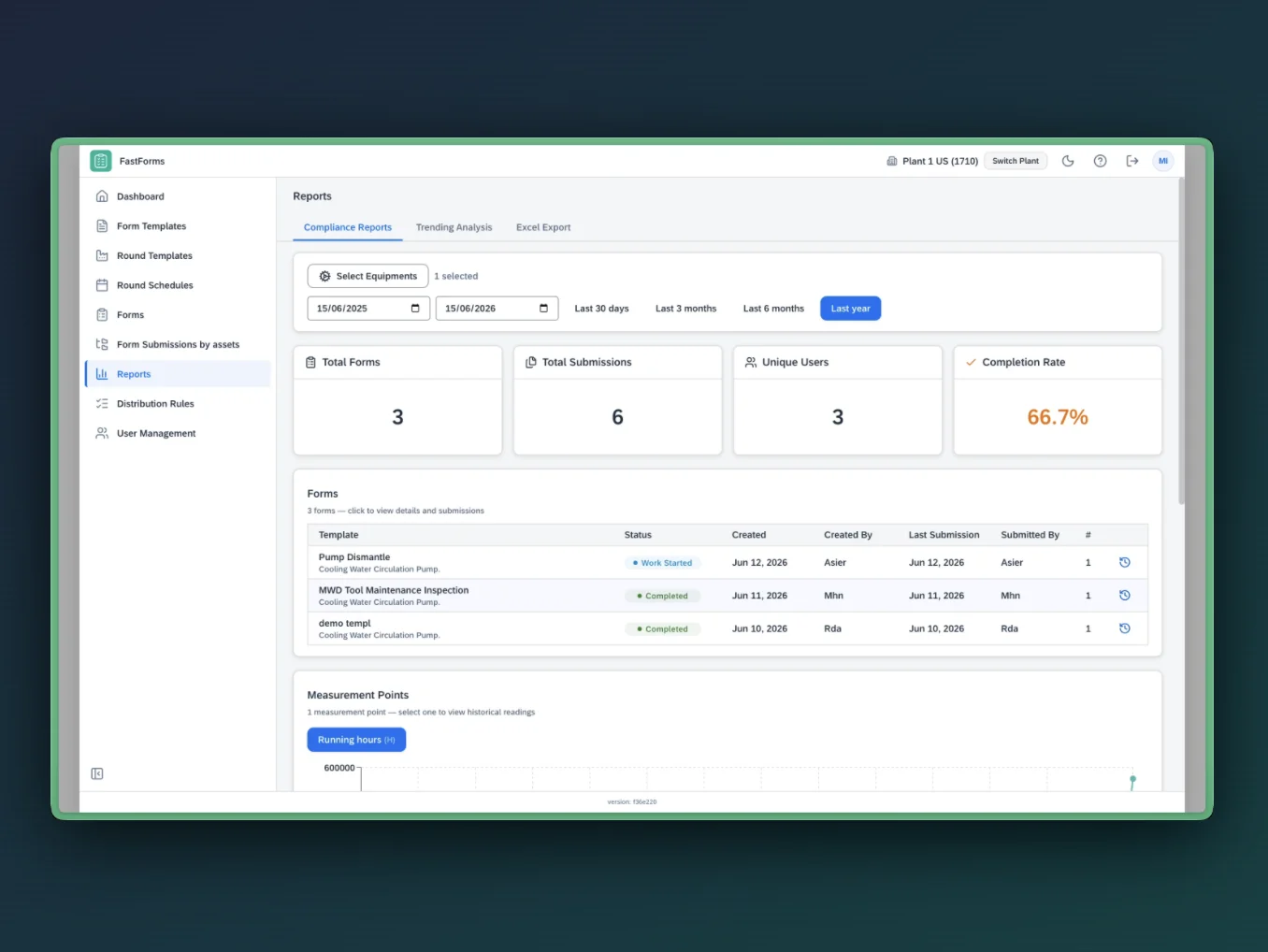
Use it for compliance or to track asset health, and export to Excel to share across the organization.