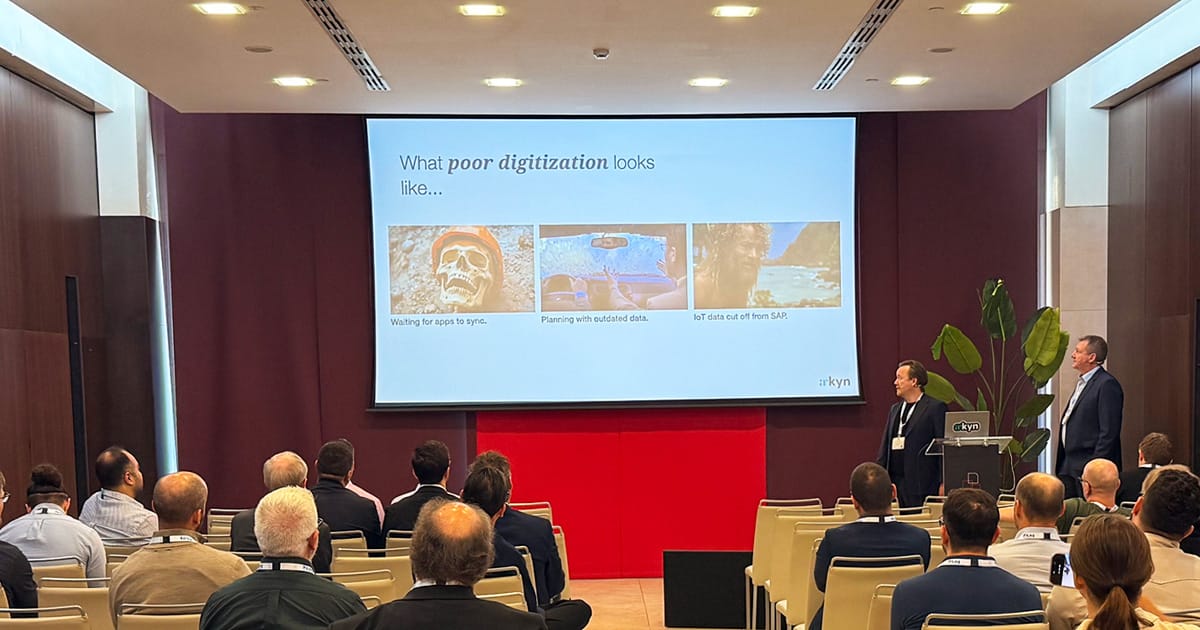

On October 29, 2026, Henrik C. Andersen, Director of IT at GoCollective, and I gave a talk in Seville at SAP for Asset and Service Management Europe. The title was “How AI actually helps maintenance teams.”
The word “actually” is doing a lot of work in that title. Where it comes from is that feeling of having seen many AI demos, but not seeing any AI solutions actually change a technician’s day.
So, here’s what we said on the stage about how to get value out of AI in maintenance teams.
The frontline is still under-digitalized.
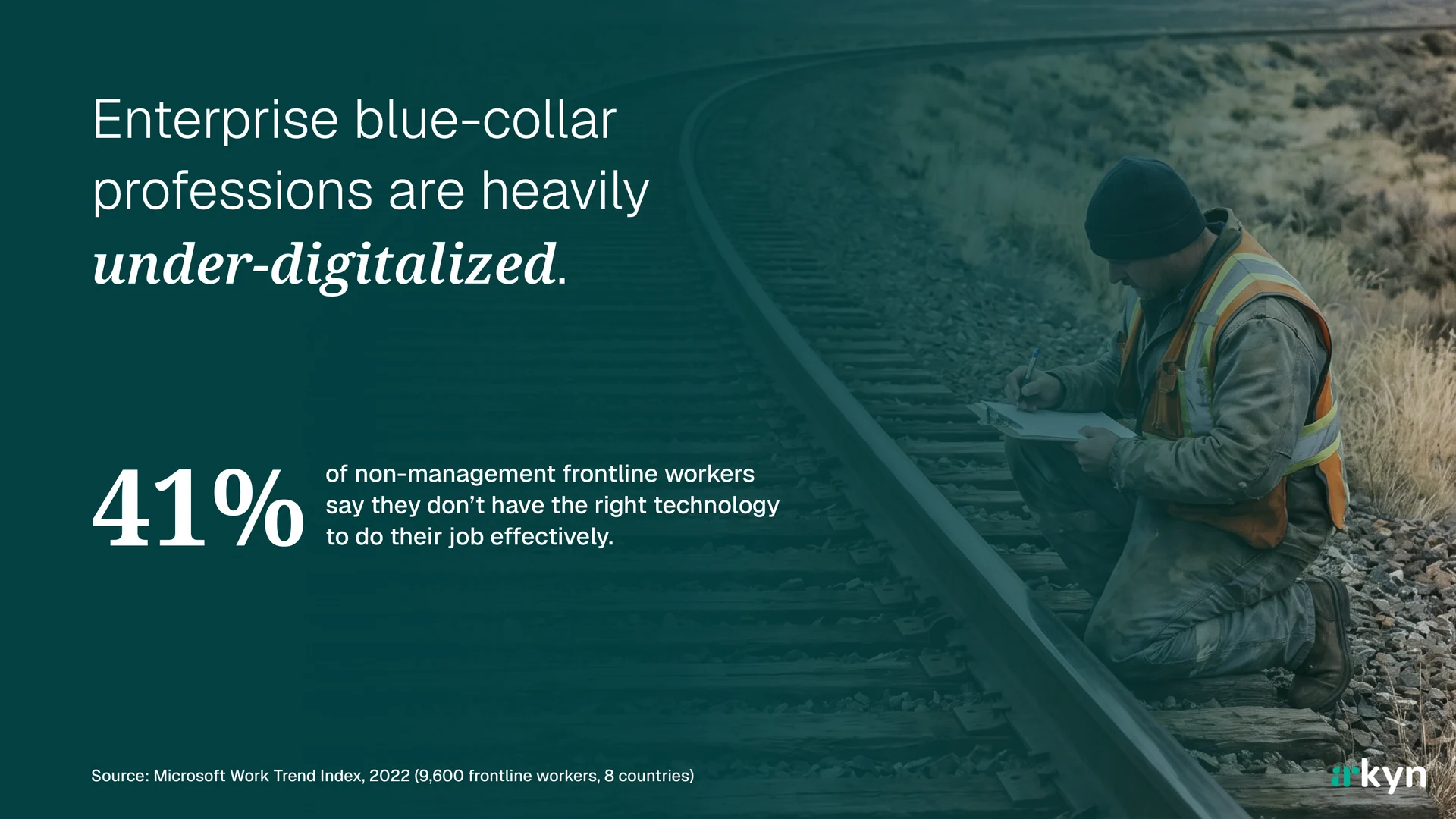
In Microsoft’s 2022 Work Trend Index, 41% of non-management frontline workers said they don’t have the right technology to do their job effectively. That survey covered 9,600 frontline workers in eight countries. The picture hasn’t changed much since. In a 2025 HFS Research survey of 605 deskless workers, easier-to-use digital tools and better connectivity topped their list of wants, and 53% said they lacked easy, reliable ways to communicate with peers and managers.
I see it every time I visit a company:
- A wall rack of paper forms: inspection logs, work order requests, lockout procedures, safety data sheets.
- Technicians, mechanics, and operators getting annoyed about how long it takes for an app to sync.
- Planners scheduling from data that was already out of date when it was entered.
- Sensors, inspection apps, and fleet systems collect data all day, but it sits in separate systems and is never related to the maintenance data and history in the ERP system. So nobody connects the dots.
Meanwhile, many leaders are talking about AI agents, predictive maintenance, digital twins, and autonomous workflows.
They’re skipping steps.
You can’t put AI on top of work that is still done on paper, because there is no data for it to work with. I call that gap a corporate disconnect, and closing it comes before any AI project. If you want to know where your team stands, the maintenance maturity model is a good place to start.
Start with the work, not the AI.
The way to close that gap is to stop asking “where can we use AI?” and start asking “what slows our technicians down?” Then look at whether AI can help with that specific thing.
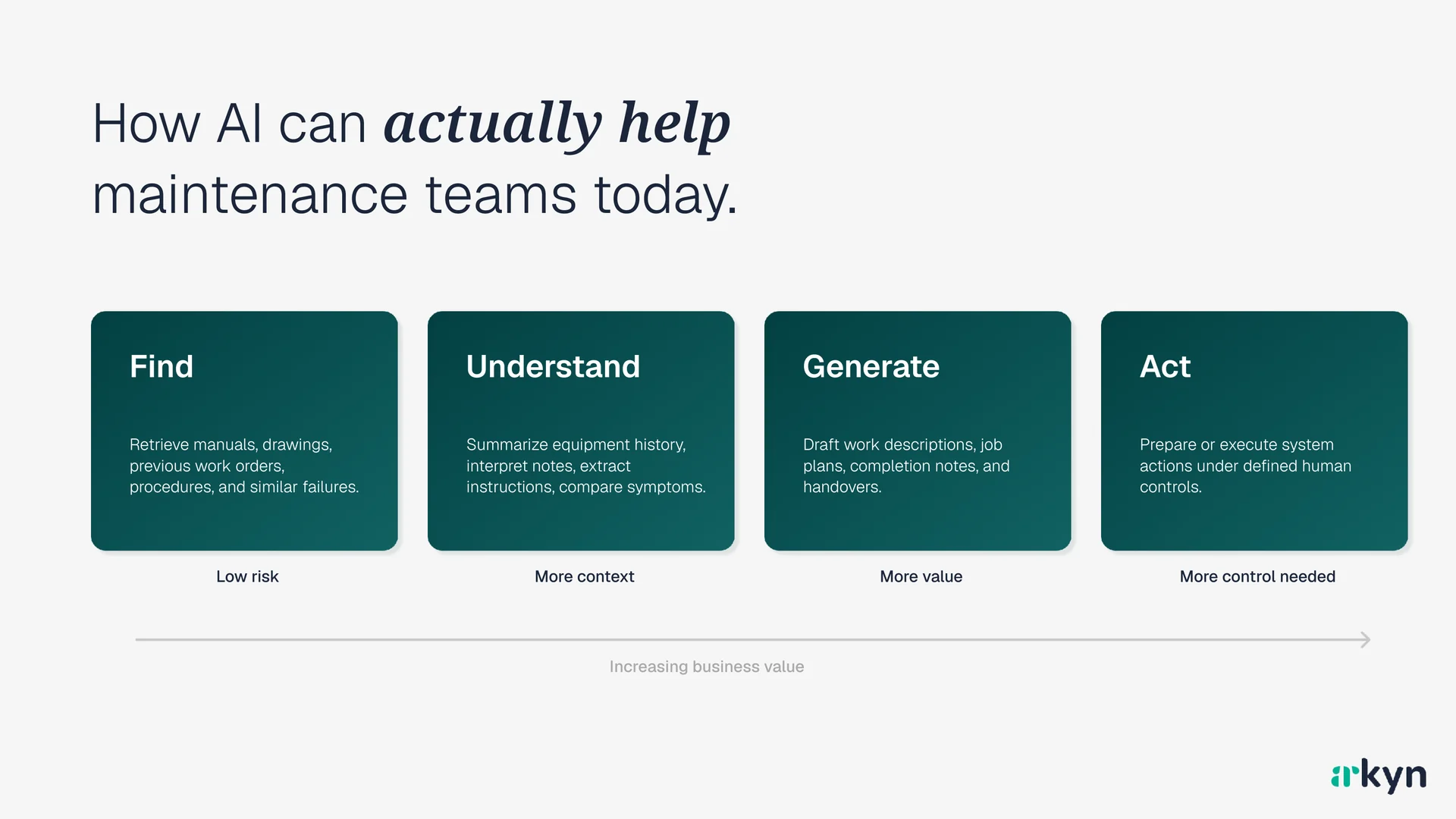
Here are some ways to look at the work where AI can help today, from the safest to the riskiest, but also the most valuable. The further down the list, the more a person needs to check the AI’s work.
- Find. Retrieve information from manuals, drawings, previous work orders, procedures, and similar failures. Low risk. The AI points to something that already exists.
- Understand. Summarize equipment history, interpret notes, extract instructions, compare symptoms. This needs more context about the asset.
- Generate. Draft work descriptions, turn audio notes into work orders, fill in forms and checklists, and write the shift handover. This is the first step where the AI writes something new instead of pointing to what already exists, so a technician reads and corrects the draft before it’s saved.
- Act. Take system actions in SAP: create the notification, update the order status, book the time and materials, or order the spare part. A person approves before anything is saved. This saves the most time, and it’s the one where you need the clearest rules about what the AI may do on its own.
You should start at the top of that list. Finding and understanding are useful on day one and easy to implement.
Acting in SAP without a human in the loop is a different proposition altogether, and we’ll come back to that.
Beware of seductive demos of AI in maintenance.
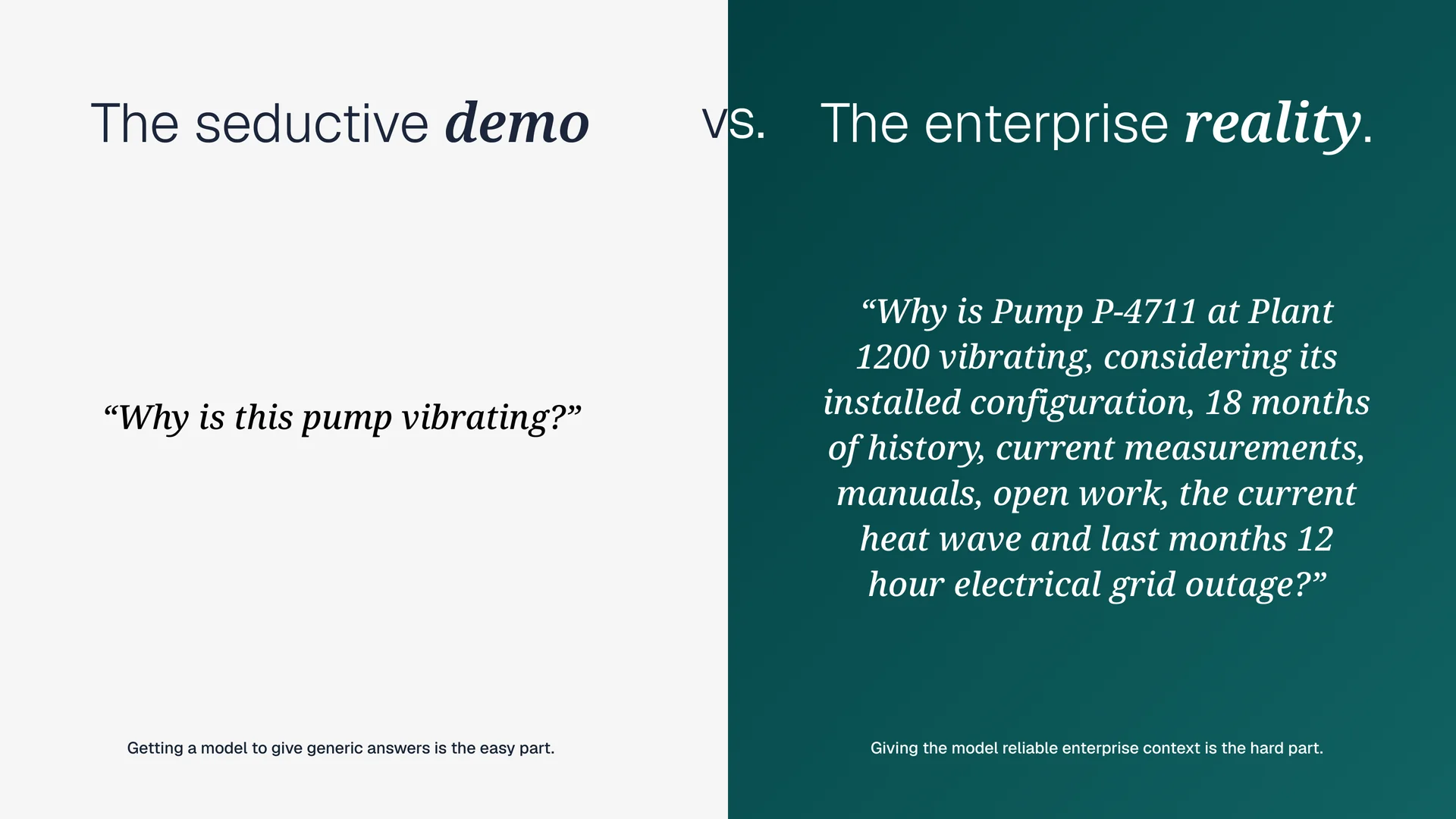
A demo where AI gives a smart-sounding answer to a question like “Why is this pump vibrating?” is easy to build. Any model can list the usual causes of pump vibration, because that knowledge is in every textbook it was trained on.
Delivering a valuable answer is different.
The technician standing in front of the pump doesn’t want the textbook causes. They want to know why Pump P-4711 at Plant 1200 is vibrating, given how it’s installed, 18 months of its history, today’s measurements, the manual, the open work on it, the heat wave this week, and last month’s 12-hour grid outage.
None of that is in the model by default. It’s in SAP, in your documents, and in your technicians’ notes. The hard part of AI in maintenance is getting that context to the model, reliably, every time.
From building this into our own apps, I think useful AI in maintenance needs six ingredients:
- A use case. A specific user, a specific task, the context they have, and the outcome you want.
- Asset context. Equipment, location, bill of materials, and history.
- Knowledge access. Retrieval over your documents and your work history, so answers come from your manuals and your past work orders.
- Integration. Read first, write later. Let the AI read from SAP for a long time before you let it write to SAP.
- Governance. Trust, safety, and approval boundaries.
- User experience. A technician will not open a separate chat window in the middle of a job.
How GoCollective puts AI to work.
GoCollective runs bus operations in Denmark:
- 464 buses, 53% of them electric.
- 7 electric harbor buses in Copenhagen.
- Over 1,500 employees.
- Migrated to S/4HANA in 2024.
- Improving maintenance is a stated priority.
Their technicians use FastWork to optimize their daily maintenance work, and they were among the first to use its AI assistant. That’s how Henrik and I ended up on a stage together.
Henrik is Director of IT at GoCollective, and we’ve collaborated since 2023.
His approach to AI rests on two things:
Adopt fast, don’t build. GoCollective’s edge is speed of adoption. That means they don’t try to build and maintain their own AI software. Solutions like Microsoft Copilot and Arkyn ship faster and cheaper than any internal team could build.
Create a framework. Speed without governance can get messy. So GoCollective built a way to test business ideas and decide when, where, and how to apply AI in maintenance work.
A basic framework for selecting AI solutions.
Ideas come from the maintenance teams themselves, out of their daily work.
Then ideas have to pass through three gates to get funded:
- Screen. Is it worth our time? Is it possible? Do we already have the technology in-house? What will it cost? How many people benefit?
- Prove. Try it at small scale. Is this actually a good idea, or was it nothing?
- Fund. Is there money to be made or time to be saved? The executive committee funds it. Then it rolls out to everyone.
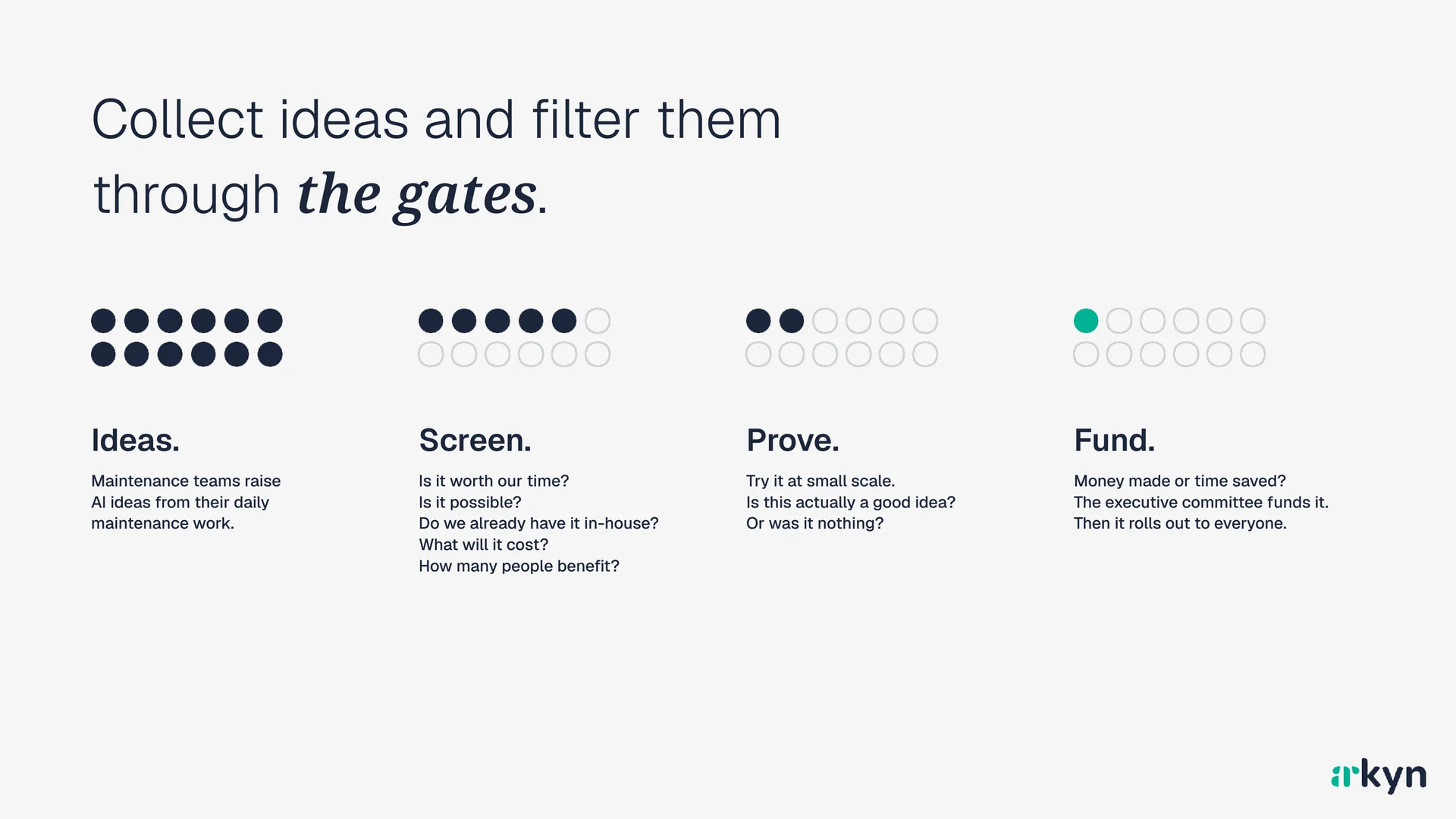
Two things I like about this. First, ideas die cheaply at the prove stage, before anyone has spent real money.
Second, the measure at the end is plain: money made or time saved. As Henrik put it, this is about getting more work done with the people you have, not about getting rid of people.
What GoCollective has learned so far.
Henrik closed with six lessons:
- Embedded beats standalone. Technicians use AI that sits inside the app they already work in. Separate AI solutions go unused.
- Data decides the answer. AI is only as good as the work orders, notes, and master data behind it. Clean data first.
- Start with low-risk help. Begin by summarizing manuals and work history. Later, let people approve any change the AI proposes in SAP.
- Adoption is a change project. Champions and short hands-on sessions drove usage more than new features did.
- Buy AI, don’t build. Copilot and Arkyn ship faster than an internal team could. The edge is in adopting quickly.
- Measure time, not prompts. Track wrench time and admin minutes saved. How often people use the AI tells you nothing on its own.
Where this is going.
The last part of the talk was a demo of AI in the FastApps, our SAP maintenance apps.
The AI sits inside the app technicians already use, works from the SAP context they’re standing in front of, and keeps a person in control of anything that writes back to SAP. The aim is to capture what technicians know, keep jobs to standard, and spot patterns in maintenance history.
That’s the six ingredients from earlier, built into a product. It’s also why GoCollective’s technicians could start using it without a change project of its own.
If you’re weighing AI for your maintenance team, my advice is the same as the talk’s title. Start with the work. Find the thing that slows your technicians down. Then ask whether AI, with the right context and the right controls, makes that thing faster.
If you’d like to talk it through, get in touch. I’m happy to spend 30 minutes talking about your goals and realistic ways in which AI can help you reach them.