

Are your technicians out in the field with printed work orders or trying to update SAP on a laptop between jobs? Either way, the result is the same: missing information, admin delays, and planners scheduling from data that's old or simply wrong.
A mobile work order app changes that. Technicians get the job details, history, and documents they need in the field. Data flows back to SAP as work happens. Planners schedule from information they can trust.
The question is which mobile app for SAP PM (plant maintenance) to use, sometimes called a mobile work order app. There are more options than most people think, and the differences matter more than the vendors' feature lists let on.
This article walks through three categories of mobile SAP work order management, what to look for when evaluating them, and where each one fits.
SAP work order apps comparison at a glance.
Here's a quick summary of how we compare SAP work order apps. It includes three categories compared on integration, go-live, cost, and fit. Read the full article to unpack this comparison further.
| SAP-native (SSAM) | Third-party SAP apps | Standalone CMMS | |
|---|---|---|---|
| Examples | SAP Service and Asset Manager | Arkyn FastWork, Sigga, Unvired, Innovapptive | Fiix, Limble, MaintainX, UpKeep |
| System of record |
SAP | SAP | The CMMS itself |
| SAP integration | Native on SAP BTP. SAP-built and SAP-maintained. | Native on SAP BTP (FastWork) or vendor platforms. Pre-built and vendor-maintained. | Limited or via middleware. |
| Go-live timeline |
Months to years | Weeks to months | Weeks (no SAP integration to build) |
| Implementation effort |
High. Customer or SI builds and operates it (MDK, SAP Mobile Services). | Low to medium depending on vendors integration layer. | Low. No SAP integration to build. |
| Total cost driver |
License plus heavy consulting | License plus zero to medium consulting | License plus zero to medium consulting |
| Best fit | Pure SAP shops with BTP and MDK skills in-house | Teams that prioritize adoption and fast go-live | Small or non-SAP-centric operations |
The reality of work orders with SAP GUI.
Most SAP PM/CS (also known as SAP EAM) environments we see follow a version of this workflow:
- A planner creates a work order in SAP (transaction IW31).
- The work order gets printed, photocopied, or emailed.
- The technician drives to the job, does the work, and writes notes on paper or a clipboard.
- Back at the office or at the end of the shift, someone types those notes into SAP.
Sometimes the notes are legible. Sometimes they're complete. Sometimes they make it to SAP the same day. But the data quality depends entirely on how motivated each person is to do double data entry after a full shift.
The result is predictable: planners work from incomplete or stale data, managers find out about problems after they've already caused downtime, and the organization pays for an SAP system that only captures part of the picture.
Every mobile SAP work order app exists to solve this problem; the difference is how well they solve it and what else they break in the process.
The three categories of SAP work order apps.
There isn't a single, market-dominating "SAP work order app" solution. It’s better for you to approach it as three distinct categories, each with different trade-offs on integration depth, implementation effort, and adoption risk.
1. SAP's own mobile apps.
SAP offers several mobile apps for work order management. The current flagship is SAP Service and Asset Manager (SSAM), which replaced the older SAP Work Manager and SAP Asset Manager apps. There is also SAP Maintenance Assistant, a lighter app for S/4HANA Cloud environments.
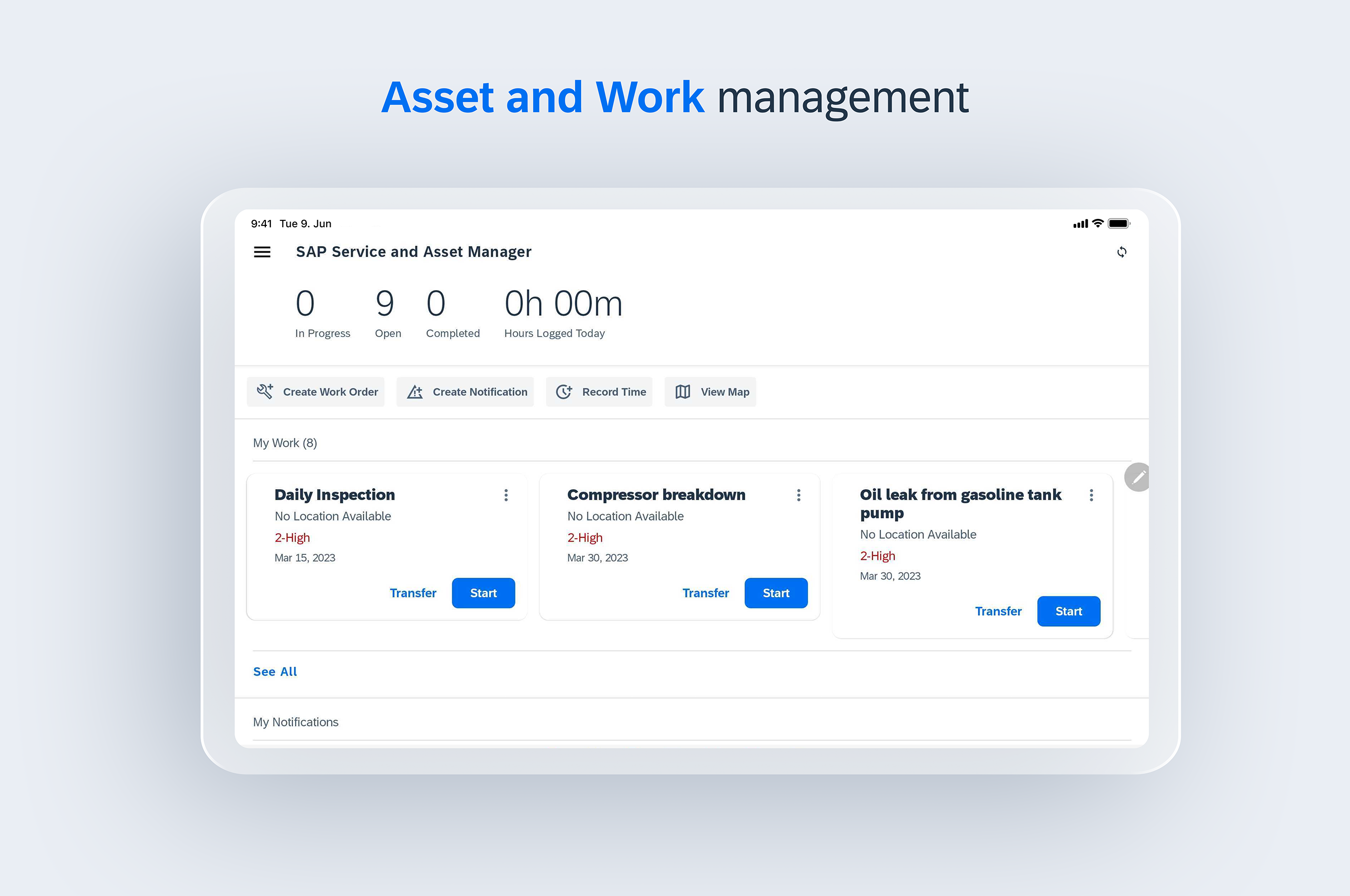
SAP Service and Asset Manager connects to SAP S/4HANA and ECC via the SAP Business Technology Platform (BTP). It supports work orders, notifications, time confirmations, material consumption, checklists, and offline work. It covers multiple personas: maintenance technician, field service technician, inventory clerk, safety technician, and supervisor. And it includes SAP Dynamic Forms for low-code form creation. You can see a detailed evaluation of SSAM on our FastWork vs. SSAM page.
SAP Work Manager is the predecessor app to SSAM and is still used by organizations on older SAP EAM configurations. It covers work orders, equipment details, inspections, and time confirmations on Android. SAP is phasing out SAP Work Manager in favor of SSAM.
SAP Maintenance Assistant is a lighter cloud-native app for S/4HANA Cloud customers. It handles work completion, time recording, measurements, and damage documentation.
SAP Field Service Management (FSM) is SAP's cloud platform for customer-facing field service, with a mobile app for technicians. To make things more complicated, SAP renamed FSM to SAP Field Service and Asset Management (FSA) in 2026 and is extending it into asset maintenance. The FSM mobile app is being rebuilt rather than replaced, and SSAM stays in the portfolio alongside it.
Where SAP's own apps make sense:
If your IT strategy absolutely requires a single-vendor SAP stack, SSAM keeps everything under one contract. If you need inventory, safety, and field service personas alongside maintenance in a single app, SSAM covers that. If your team already runs SAP BTP and has MDK development skills, the infrastructure is already in place.
Where they fall short:
Implementation is the main consideration. Your team or an implementation partner sets up and operates the BTP environment, configures SAP Mobile Services, and builds and maintains the app in SAP's Mobile Development Kit (MDK). Partners typically scope these projects in months to years, and upgrades follow the same build-and-test cycle.
The second consideration is fit for the field. SSAM is a broad, multi-persona app, which is a strength for organizations that need inventory, safety, and field service in one place, and a trade-off for maintenance teams that want a narrow, fast tool technicians will pick up without training. Test it with your own technicians on your own devices before committing.
2. Third-party SAP-integrated apps.
These are mobile apps built by companies outside of SAP that integrate directly with your SAP PM/CS backend. The integration approach varies by vendor, but the common thread is that they handle the integration complexity so your team doesn't have to build and maintain it from scratch.
Several companies operate in this space:
Arkyn FastWork is a native iOS and Android app for SAP work order execution from an SAP OEM partner. Arkyn is part of the Trifork Group, a publicly listed technology company with over 1,100 employees across 16 countries, who also serve as technology and implementation partners. FastWork covers work orders, time and material reporting, photos, speech-to-text, and AI-powered asset search, and it works offline with automatic sync when connectivity returns. FastWork is part of the broader Arkyn FastApp Suite, which also covers planning and scheduling, notifications, subcontractor management, digital forms, and analytics.
Sigga EAM Empower is a mobile work order app for SAP PM from a Houston-headquartered company with Brazilian roots and over 20 years in the SAP EAM space. It's built on a no-code engine, which means customers can customize screens and workflows without development. Sigga claims 70,000+ users globally, holds SAP-certified integration with RISE with SAP S/4HANA Cloud, and is particularly established in process industries like food and beverage, chemicals, mining, and oil and gas. They also offer a planning and scheduling product alongside mobile maintenance.
Unvired Mobile Work Orders is an SAP-certified mobile app available directly through the SAP Store. It covers work orders, operator rounds, work permits, digital forms, and warehouse management, and supports iOS, Android, and Windows devices with offline capabilities. Unvired is a Houston-based SAP partner that has been expanding into GenAI-assisted maintenance workflows.
Innovapptive mWorkOrder is a mobile work order management app that's part of a broader "connected worker platform." It covers work orders, operator rounds, permit-to-work, digital forms, and warehouse management, and integrates with both SAP and IBM Maximo. Innovapptive is Houston-based, has won an SAP Pinnacle Award, and is investing heavily in AI-powered features for predictive maintenance and guided troubleshooting.
2BM Mobile Work Order is part of a Digital Maintenance Suite that also includes a supervisor dashboard, a digital checklist builder, and an IoT module for connecting sensors to SAP. It's built on SAP BTP with SAP Industry Cloud approval. 2BM Software is Copenhagen-based, part of SOA People (a European SAP consulting group), and a member of the United VARs network which gives them implementation partners in 100+ countries.
Where third-party apps make sense:
When you need mobile work order execution with deep SAP integration but want a faster path to go-live with less infrastructure to manage on your side. When user adoption is a priority and you need consumer-grade UX to get technicians to actually use the app. And when you need more than just mobile execution (planning, notifications, subcontractor access) and want a single vendor for the broader workflow.
Where they fall short:
You're adding a vendor outside the SAP ecosystem, which means a separate support relationship and a separate integration layer to maintain. If your IT governance requires everything to be SAP-native, a third-party app creates an exception. And not all third-party apps are equal on integration depth, offline reliability, or performance at scale. Evaluate carefully.
3. Standalone CMMS and EAM platforms.
These are general-purpose maintenance management platforms that aren't built specifically for SAP. Examples include Fiix (by Rockwell Automation), Limble CMMS, MaintainX, and UpKeep.
Some of them offer SAP integrations, usually through middleware or APIs, but they're designed to be a standalone system of record for maintenance rather than a mobile front-end for your existing SAP data.
Where standalone CMMS platforms make sense:
If your maintenance operation is small enough that running a parallel system doesn't create data consistency problems.
Where they fall short:
The integration is the issue. When your work orders, equipment master data, material management, and cost accounting all live in SAP, a standalone CMMS creates a parallel data universe. You end up syncing data between two systems, reconciling differences, and explaining to auditors why the maintenance system and the ERP don't agree. For SAP-centric organizations, this usually costs more in the long run than it saves.
What to look for when choosing an SAP PM mobile app.
Every SAP PM mobile app appears to tick the same boxes in a feature comparison: view and manage SAP work orders on the go. Here is what you should look at when making your decision.
Offline reliability. Your technicians work in substations, tunnels, refineries, rural sites, and factories with poor cellular and WiFi signals. If the app doesn't work without a signal, it doesn't work. But "offline support" means different things depending on who's saying it. Some apps download a limited dataset, some lose unsaved data on reconnect, and some require a manual sync button. What you want is full work order access offline, automatic background sync when connectivity returns, and no data loss.
SAP sync model. Batch sync (once every 15 minutes, or on demand) means planners are always working from slightly stale data and it puts a lot of load on the backend system negatively affecting SAP operations if you have a setup with many (1000+) technicians. Event-driven sync means changes reach SAP as they happen and put less load on the backend system. Ask, or better yet, test how the sync works and what happens during peak load with hundreds or thousands of technicians syncing simultaneously.
Technician adoption. This is the metric that determines whether your investment pays off. If only 35% of your technicians use the app, you get 35% of the value and 100% of the cost. Don’t waste time and money on shelfware; ask for adoption numbers and communication lines to existing customers. If a vendor can't share adoption information, that tells you something.
Implementation timeline. SAP-native solutions (SSAM) typically take months. Some third-party solutions are live in weeks. Ask for specific go-live timelines from comparable deployments, not from a demo environment.
Total cost of ownership. The license price is one number. Add implementation costs, consulting, ongoing support, and upgrade effort. SSAM upgrades in particular require manual metadata merging, client rebuilds, and multi-layer testing, and some customers describe the upgrade process as comparable to a new implementation.
What else does the vendor cover? Mobile work orders solve one problem, but maintenance operations also need planning and scheduling, issue reporting, subcontractor management, digital forms, and analytics. You don’t want to solve mobile execution with one vendor and then need three more for other critical maintenance tasks.
How FastWork handles SAP work orders.
FastWork is Arkyn's mobile work order app for SAP maintenance teams.
A technician opens FastWork on their phone or tablet and sees their assigned work orders, pulled from SAP in real time through FastCloud (you can read more about Arkyn's SAP integration below).
They tap a work order and get the operation details, asset history, documents, and notes from prior visits. On site, they report time, materials, operation status, and measurements directly in the app. They also have access to advanced features like creating 3D scans of assets for better capture of the current state and AI-powered document search for quickly understanding documentation. When they submit, data flows through FastCloud to SAP. Data reaches SAP without the double entry, the paper trail, or the end-of-shift data dump.
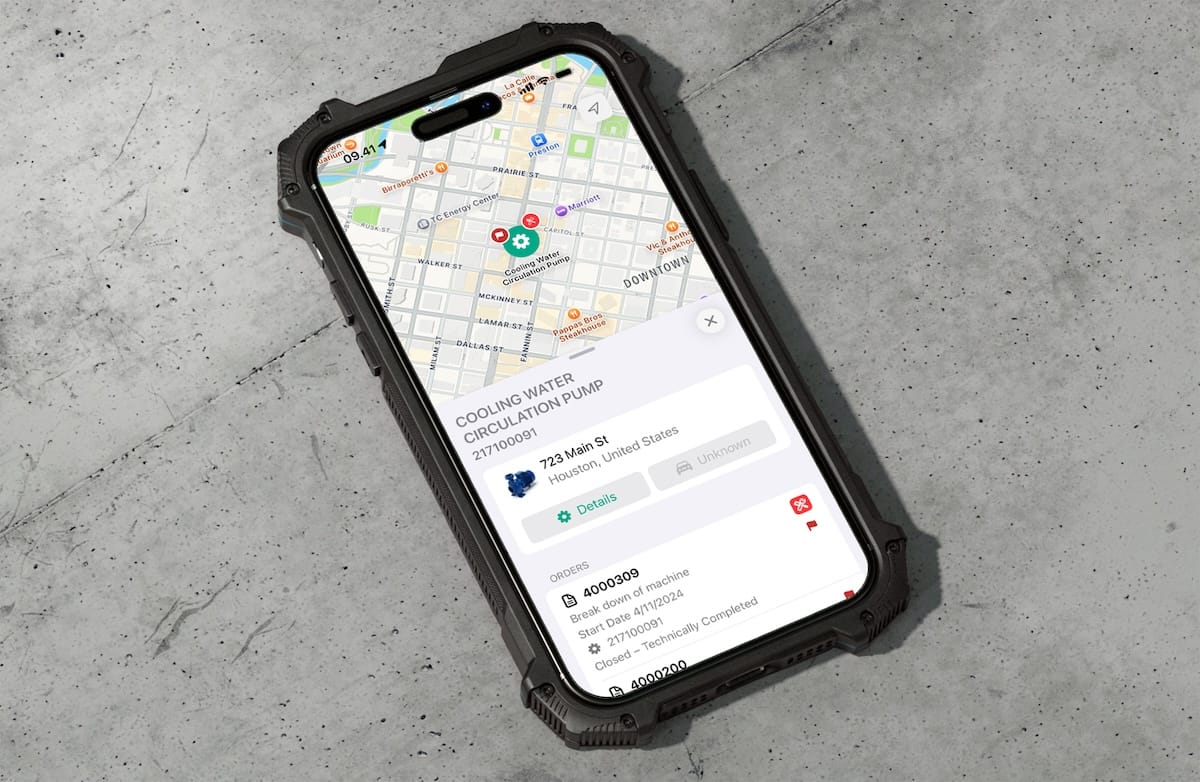
If they're in a cellular dead zone, everything still works. FastWork stores work orders and asset data locally and queues up all reporting for automatic sync when they're back online. No manual sync button, no lost entries.
Randall Grogan, Sr Director of IT SAP & Financial Applications at Energy Transfer, described it this way:
"The most impressive feature of the FastWork app is its intuitive design. You can pick it up and immediately understand how to navigate and use it."
Energy Transfer has rolled out Arkyn's iOS apps to 8,000+ SAP technicians.
For teams that need it, FastWork also supports richer data capture: speech-to-text for notes, photo documentation, 3D asset scanning with LiDAR, and AI-powered search that finds part numbers or instructions from a question or a photo. You can go deeper on FastWorks features in this detailed FastWork demo or on the FastWork SAP Store listing.
FastWork supports SAP ECC and S/4HANA. It's a native iOS and Android app, go-live typically takes 2 to 6 weeks including setup and configuration, and the average adoption rate across Arkyn deployments is 85%.
You can use our EAM software ROI calculator to see what low adoption is potentially costing your operation.
How FastCloud connects FastWork to SAP.
FastCloud is Arkyn's integration platform, and it's what makes the rest of the article true. The 2-to-6-week go-live, the BTP-native architecture, the minimal SAP load. All of that runs through FastCloud.
A few specifics for the IT and SAP teams reading this:
Native on SAP BTP. FastCloud runs on SAP Business Technology Platform, the same platform SSAM uses. It's not a bolt-on connector or a separate cloud. Authentication flows through SAP Cloud Identity Services and your corporate identity provider. Principal Propagation keeps your existing SAP authorization model in control. Communication runs through the SAP Cloud Connector, with no direct inbound connections to your on-premise landscape. All data is encrypted in transit and at rest.
Event-based sync. Changes reach SAP as they happen. No polling, no batch jobs, and minimal load on your SAP system even at thousands of technicians. Event-driven sync requires SAP's NetWeaver Event-Enablement Add-On on the SAP side.
Pre-built SAP PM and CS coverage. You start with standard integration patterns rather than a blank slate, which is why deployments go live in weeks. Your IT team's involvement is limited to Cloud Connector setup and configuration mapping.
No SAP core modifications and no custom ABAP on your side. Arkyn's backend components are delivered in a separate Arkyn namespace, isolated from the SAP core, and aligned with SAP's clean core principles. Your SAP upgrades or an ECC-to-S/4HANA migration don't break the FastApps.
Fully managed by Arkyn. FastCloud is delivered as managed SaaS. Operations, platform updates, and monitoring are included in your subscription. Multi-cloud and multi-region deployments are standard. Your IT team focuses on SAP, not middleware.
For the full architecture overview, see the FastCloud explainer page.
What you'll need on your side.
Implementation is fast, but it isn't zero-effort. When working with Arkyn, we handle the integration, configuration, and app deployment, but your team needs to be involved at key points.
You'll need a project owner who can make decisions on business process questions, and a project manager to coordinate internal resources and scheduling. Your SAP Basis team will spend roughly 4 to 10 days handling infrastructure prerequisites like Cloud Connector configuration, service accounts, and transport management. An EAM specialist needs 1 to 5 days to walk Arkyn through your current SAP PM processes so the configuration matches how your team actually works. And you'll want super users who know the current workflows and are willing to validate the app before rollout.
The full picture.
FastWork is one part of the Arkyn FastApp Suite. We have a range of solutions from planning to execution to insight, one suite connected to SAP through FastCloud.
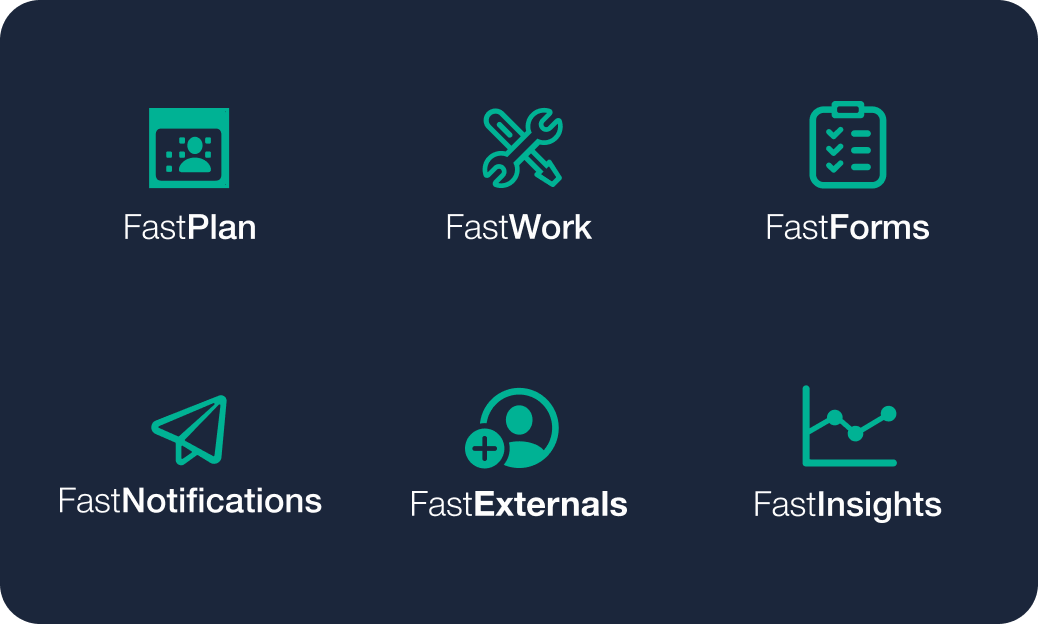
- FastPlan handles visual planning and scheduling (watch a FastPlan demo).
- FastNotifications lets any employee report issues to SAP without training.
- FastExternals lets you manage subcontractors and distribute SAP work orders to them.
- FastForms manages digital checklists, inspections, and operator rounds (watch a FastForms demo).
- FastInsights tracks maintenance KPIs and app adoption.